|
Condition Gauge
|   |
|
Condition Gauge
| |
|
|
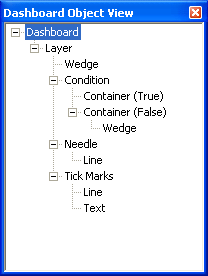
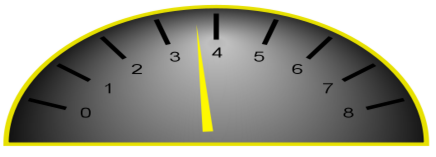
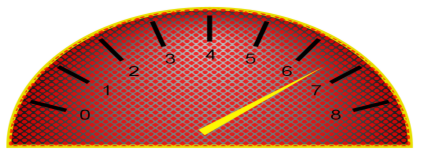
Here is an example of a condition object used on a gauge. In this condition, if the gauge reads over 6, the background turns hatched, as demonstrated by the image on the right. Another way to use a condition is inside a needle object, so that if the value matches the condition the needle changes color or images. |
|
OBJECT |
PROPERTIES |
|
Wedge |
[100, (0, 0, 0), 255] [0, (192, 192, 192), 255] |
|
Condition |
(All under Condition One)
|
|
Container (True) |
(Default Options) |
|
Container (False) |
(Default Options) |
|
Wedge |
|
|
Needle |
|
|
Line |
|
|
Tick Marks |
|
|
Line |
(Default Options) |
|
Text |
(Default Options) |